
Artificial intelligence tools for beginners are no longer a futuristic idea reserved for engineers and large companies. Today, students, freelancers, business owners, and everyday workers use AI to write faster, organize information, create images, analyze data, and automate repetitive tasks. If you have heard the buzz but are not sure where to begin, this guide is for you.
In the sections below, you will learn what artificial intelligence actually is, how it works in simple terms, the main types of AI tools available, practical ways to use them in daily work, and how to avoid common mistakes. By the end, you will have a clear plan to start using AI confidently and responsibly.
What Is Artificial Intelligence?
Artificial intelligence, often shortened to AI, is a field of computer science that builds systems capable of performing tasks that normally require human thinking. These tasks include understanding language, recognizing images, making predictions, answering questions, and generating new content.
Most AI products you see today are built on machine learning, a method in which software learns patterns from large amounts of data instead of following only fixed instructions. For example, an email filter learns what spam looks like by studying many examples, and a recommendation system learns what you might enjoy by observing what similar people liked.
Generative AI in Simple Terms
The newest wave of attention focuses on generative AI. These tools create new text, images, audio, code, or video based on instructions you provide. You type a request, called a prompt, and the system produces a response. A chatbot can draft an email, an image generator can create an illustration, and a coding assistant can suggest a function. The results are generated from patterns the system learned during training, which is why clear instructions lead to better output.
Why Learning AI Tools Matters Now
- Time savings. AI can handle first drafts, summaries, outlines, and routine formatting, giving you more time for thinking and decision-making.
- Lower barriers to creativity. People without design or writing backgrounds can produce polished materials with guidance from AI assistants.
- Career relevance. Many employers value workers who know how to use modern tools effectively, and AI literacy is becoming a practical workplace skill.
- Small business advantage. Small teams can use AI to handle tasks that once required larger staff, such as customer messaging, content planning, and basic analysis.
- Learning support. AI tutors and explainers can break down complex topics into simple language and provide examples on demand.
The Main Types of AI Tools
1. AI Chatbots and Assistants
Chatbots allow you to have a conversation with an AI model. You can ask questions, brainstorm ideas, request summaries, rewrite text, translate sentences, or get step-by-step explanations. Popular assistants include Claude, ChatGPT, Google Gemini, and Microsoft Copilot. They are a great starting point because they work in a simple chat window and require no technical setup.
2. AI Writing Tools
Writing assistants help with emails, blog outlines, product descriptions, social media captions, and proofreading. Some are built into word processors and note-taking apps, while others are standalone platforms. They are especially useful for overcoming the “blank page” problem, but you should always review and personalize the text so it reflects your own voice and facts.
3. AI Image and Design Tools
Design platforms such as Canva include AI features that can generate images, remove backgrounds, resize layouts, and suggest designs. Dedicated image generators can create illustrations from text descriptions. These tools help marketers, teachers, and entrepreneurs create visuals quickly, though it is important to check the licensing and usage terms of each platform.
4. AI Productivity and Note-Taking Tools
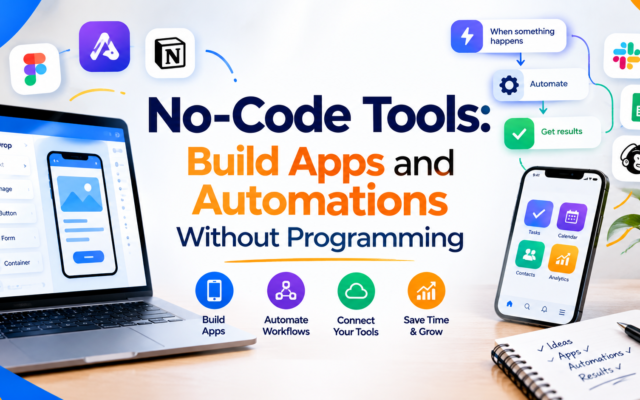
Apps like Notion, Evernote, and many calendar and project management platforms now include AI features that summarize notes, extract action items, organize tasks, and search through your documents. Meeting transcription tools can turn recorded conversations into written summaries so you can focus on the discussion instead of taking notes.
5. AI Automation Tools
Automation platforms such as Zapier and Make connect different apps and let you build workflows that run automatically. When combined with AI, they can sort incoming emails, summarize form responses, create draft replies, or add new customer information to a spreadsheet without manual copying.
6. AI Coding Assistants
Developers use coding assistants to generate snippets, explain unfamiliar code, find bugs, and write documentation. Beginners can also benefit by asking the assistant to explain how a piece of code works in plain language.
7. AI Research and Learning Tools
Some tools specialize in searching and summarizing information from documents, articles, and websites. They can help you review long reports, compare ideas, and create study guides. Always confirm important facts with reliable original sources, because AI systems can occasionally produce incorrect or outdated information.
Quick Comparison of AI Tool Categories
| Category | Best For | Beginner Difficulty |
|---|---|---|
| AI chatbots | Questions, brainstorming, summaries, rewriting | Very easy |
| AI writing tools | Emails, blog drafts, product descriptions | Easy |
| AI design tools | Social graphics, presentations, thumbnails | Easy |
| AI note-taking and productivity | Meetings, task lists, document search | Easy |
| AI automation | Connecting apps and repetitive workflows | Moderate |
| AI coding assistants | Programming help and code explanations | Moderate |
Practical Ways to Use AI in Everyday Work
Writing and Communication
Use AI to draft professional emails, create meeting agendas, rewrite messages in a friendlier tone, or turn rough notes into clear paragraphs. A useful approach is to give the assistant context about your audience and goal, then edit the result to match your style.
Planning and Organization
Ask an assistant to turn a long to-do list into a prioritized weekly plan, create a project checklist, or suggest a simple schedule for a new goal. AI is excellent at structuring information, which makes it a helpful planning partner.
Content Creation
Bloggers and marketers can brainstorm topic ideas, outline articles, generate headline options, and create social media calendars. The best results come from combining AI speed with your own experience, examples, and original insights.
Learning New Skills
You can ask an AI tutor to explain a concept in simple words, give examples, create practice questions, or summarize a chapter. If an answer is confusing, ask the assistant to explain it again using an analogy or a simpler vocabulary level.
Customer Service for Small Businesses
Business owners can use AI to prepare frequently asked questions, draft polite replies, and organize customer feedback into common themes. A human should still review sensitive or important customer conversations.
Data and Spreadsheets
Many spreadsheet tools now include AI features that can suggest formulas, clean messy columns, and summarize trends. These features can save time for people who are not advanced spreadsheet users.
How to Write Better Prompts
The quality of your result depends heavily on the quality of your instructions. Here is a simple formula you can use:
- Role. Tell the AI who it should act as, such as a friendly writing coach or a project planner.
- Task. State clearly what you want, for example “write a short email asking a client for feedback.”
- Context. Add background details such as the audience, the situation, and your goal.
- Format. Describe the output you prefer, like a bulleted list, a table, or three short paragraphs.
- Tone and length. Specify whether you want a formal or casual style and how long the response should be.
For example, instead of typing “write about time management,” try: “Act as a productivity coach. Write a 200-word beginner’s guide to time management for college students, using a friendly tone and a short bulleted list of tips.” The second prompt gives the assistant a clear direction, so the result is usually more useful.
If the first answer is not perfect, do not start over. Ask follow-up questions such as “make it shorter,” “add an example,” or “explain this to a ten-year-old.” Treating the process as a conversation often improves the outcome.
A Simple Plan to Get Started with AI
- Week 1: Choose one AI chatbot and use it daily for small tasks like rewriting emails, summarizing articles, or brainstorming ideas.
- Week 2: Add one tool related to your work, such as an AI design feature in Canva or an AI note-taker for meetings.
- Week 3: Practice prompt writing. Save your best prompts in a document so you can reuse them.
- Week 4: Identify one repetitive task and try to automate part of it, or create a template with AI support.
Starting small prevents overwhelm and helps you discover which tools genuinely fit your needs.
Limitations and Risks to Keep in Mind
AI is powerful, but it is not perfect. Understanding its limits will help you use it wisely.
- Accuracy. AI can sometimes produce confident-sounding answers that are wrong, outdated, or made up. Verify names, dates, statistics, and quotations from trusted sources.
- Bias. Because AI learns from human-created data, it may reflect stereotypes or unbalanced viewpoints. Review outputs with a critical eye.
- Privacy. Avoid entering passwords, private customer details, or confidential company information into tools unless you understand how the platform handles data. Read the privacy settings and terms of service.
- Originality and copyright. Publishing raw AI output without editing can lead to generic content. Add your own experience, examples, and opinions, and respect the licensing rules of any generated images or text.
- Over-reliance. Use AI as an assistant, not a replacement for your own judgment, creativity, and learning.
Using AI Responsibly
Responsible use means being transparent when needed, checking facts, protecting private information, and giving credit where it is due. If you publish content that was created with AI help, take the time to review, edit, and improve it so that it is accurate and genuinely helpful to readers. Quality and honesty build trust, whether you run a blog, a business, or a classroom.
Frequently Asked Questions
Do I need technical skills to use AI tools?
No. Most modern AI tools work through simple chat boxes or buttons inside apps you already use. If you can type a clear request, you can begin using them.
Are AI tools free?
Many tools offer free versions with limited features and paid plans with more advanced options. It is wise to start with free options and upgrade only if you find consistent value.
Will AI replace human workers?
AI changes how many tasks are done, and some roles will evolve. However, human skills such as creativity, communication, critical thinking, and empathy remain very important. People who learn to work with AI tools often become more efficient and adaptable.
What is the best AI tool for beginners?
A general-purpose AI chatbot is usually the easiest starting point because it can help with writing, learning, planning, and brainstorming in one place.
How can I tell if AI-generated information is reliable?
Cross-check important details with reputable websites, official documentation, or expert sources. Ask the AI to explain its reasoning, and be cautious with statistics or quotes you cannot verify.
Can I use AI to grow a blog or online business?
Yes, AI can help with brainstorming, outlining, editing, and organizing your workflow. The most successful creators combine these tools with original ideas, real experience, and a clear understanding of their audience.
Final Thoughts
Artificial intelligence is best understood as a set of practical tools that can make daily work faster, easier, and more creative. You do not need to master every platform or understand complex technology to benefit. Begin with one assistant, practice writing clear prompts, verify important information, and gradually expand your toolkit as your confidence grows.
The most valuable skill in the age of AI is not simply knowing which button to press. It is learning how to ask good questions, evaluate results thoughtfully, and combine machine speed with human judgment. Start experimenting today with one small task, and you may be surprised by how much time and effort you can save.
Disclaimer: This article is for general informational and educational purposes only. AI tools and their features change frequently, so please review each provider’s current terms, pricing, and privacy policies before use. Always verify important information with reliable sources.