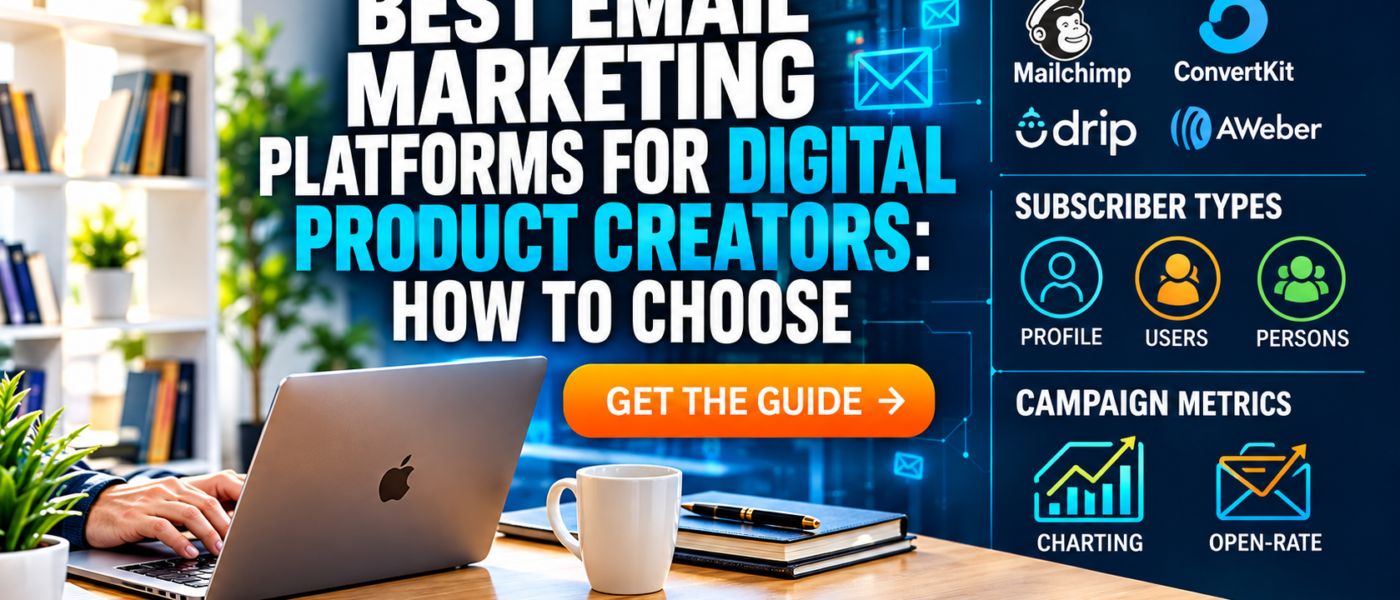
If you sell digital products, your email list is one of the most valuable assets you can build. Social media algorithms change, search rankings fluctuate, and marketplaces adjust their rules, but a list of people who have chosen to hear from you is something you own. Choosing the right email marketing platform early saves time, money, and migration headaches later. This guide explains what to look for, compares the main types of platforms, and offers a practical way to decide which one fits your business.
Why Email Still Matters for Digital Creators
Email remains a dependable channel for digital product businesses because it is direct, measurable, and personal. When someone joins your list, they have already shown interest in your topic. That makes them more likely to read your messages, try your free resources, and eventually buy.
- Ownership. You control the list and can export it if you change providers.
- Relationship building. Regular helpful messages create familiarity and trust.
- Launch support. New products, updates, and bundles reach interested people immediately.
- Measurable results. Open rates, click rates, and conversions show what your audience values.
Core Features to Look For
Every platform advertises long feature lists, but a digital creator mainly needs a handful of capabilities to work well.
Signup forms and landing pages
You need forms that can be embedded on your website or shared as standalone pages. Good platforms let you customize fields, colors, and confirmation messages, and they support double opt-in so subscribers confirm their address.
Automation sequences
Automation lets you send a welcome series, deliver a free download, and follow up after a purchase without manual work. Even a simple three-message welcome sequence can introduce your brand, share your best content, and present your products.
Segmentation and tagging
Tags let you group subscribers by interest, product purchased, or signup source. A person who downloaded a free spreadsheet template should receive different messages from someone who bought a planner bundle.
Templates and editor
A clean editor with mobile-friendly templates helps you publish quickly. Look for the ability to insert images, buttons, and links without fighting the layout.
Deliverability and compliance
Reliable delivery to the inbox depends on sender reputation, authentication settings, and good list hygiene. Reputable platforms support domain authentication and handle unsubscribe requests automatically to help you follow anti-spam laws.
Analytics
Basic reports should show opens, clicks, unsubscribes, and which links people use. You do not need advanced dashboards at the start, but you do need clear data.
Integrations
Check whether the platform connects with your store, website builder, or payment tool. Integrations can automatically add new customers to the right list and trigger delivery emails.
Types of Email Platforms
Instead of memorizing brand names, it is more useful to understand the categories, because each is designed for a different kind of user.
1. Creator-focused platforms
These tools are built for bloggers, course creators, and digital product sellers. They typically emphasize simple forms, tagging, landing pages, and the ability to sell directly to subscribers. The interface is usually minimal, and setup is quick. They are a strong choice if your business is mostly you and a small set of products.
2. All-in-one marketing platforms
These combine email with websites, funnels, forms, scheduling, and sometimes course hosting. They reduce the number of tools you pay for, but they can feel complex at first. They suit creators who want everything under one dashboard and are willing to spend time learning the system.
3. E-commerce email tools
Designed for online stores, these tools focus on abandoned cart messages, purchase follow-ups, and product recommendations. They work best when you have a catalog of many items and want to automate sales messages based on browsing and buying behavior.
4. Newsletter-first platforms
These emphasize publishing. You write an issue, send it, and manage subscribers with minimal setup. Some include built-in web archives and optional paid subscriptions. They are ideal if your main content is an editorial newsletter and your products are secondary.
5. Basic or budget senders
Some services offer straightforward bulk sending at low cost. They may lack advanced automation, but if you only send occasional updates, they can be enough.
Pricing Models Explained
Email platforms usually price by subscriber count, and some also limit the number of emails you can send each month. Understanding the model prevents surprises.
- Free tiers. Good for testing, but they often restrict automations, branding removal, or subscriber numbers.
- Subscriber-based plans. Cost rises as your list grows. Check whether inactive subscribers count toward your total.
- Send-based plans. You pay according to monthly email volume, which can suit creators who email rarely to a large list.
- Add-on features. Advanced automations, extra users, or priority support may cost extra.
Before committing, estimate your list size over the next twelve months and calculate costs at that level, not just at your starting point.
How to Choose: A Step-by-Step Method
- Define your goals. Do you want a simple newsletter, a welcome sequence, product launches, or full sales funnels?
- List must-have features. For most digital creators these are signup forms, tags, basic automation, and reliable delivery.
- Check integrations. Confirm that your website and store platform connect without custom code.
- Test the editor. Create a sample email and a signup form during the free trial.
- Review migration options. Make sure you can export your subscribers and tags in a standard format.
- Read support documentation. Clear help articles indicate a platform you can learn quickly.
Building Your First Welcome Sequence
A welcome sequence is the most important automation you will create. A simple structure works well:
- Email 1: Delivery and greeting. Send the free resource, thank the subscriber, and explain what to expect.
- Email 2: Your story and best content. Briefly introduce yourself and link to two or three useful articles.
- Email 3: A helpful tip. Share a practical idea related to your niche without selling.
- Email 4: A gentle product introduction. Explain how your product solves a specific problem and invite readers to take a look.
Space these messages over about a week. Keep each one short, friendly, and focused on a single idea.
Writing Emails People Want to Open
Subject lines
Clear beats clever. A subject line that describes the content, such as \”Three template mistakes to avoid,\” usually performs better than vague teasers. Avoid all caps, excessive punctuation, and misleading claims.
Body copy
Write as if you were emailing one person. Use short paragraphs, plain language, and one primary call to action. If you include several links, readers may not know which to click.
Frequency
Consistency matters more than volume. A weekly or biweekly email is enough for most creators. Tell subscribers upfront how often they will hear from you and stick to it.
Growing Your List Ethically
Subscribers should join because they want to, not because they were tricked. Several approaches work well:
- Lead magnets. Offer a free sample template, checklist, or mini guide in exchange for an email address.
- Content upgrades. Add a downloadable bonus to blog posts, such as a printable version or a bonus worksheet.
- Clear forms. Explain what people will receive and link to your privacy policy.
- Easy unsubscribe. A visible unsubscribe link protects your sender reputation and respects readers.
Never buy email lists. Purchased lists contain people who did not ask to hear from you, which leads to spam complaints, poor deliverability, and possible legal trouble.
Privacy and Legal Basics
Email marketing is subject to laws in many regions, including requirements for consent, a physical mailing address, and a working unsubscribe mechanism. Reputable platforms include tools to help with these requirements, but you remain responsible for how you collect and use data. Publish a privacy policy, explain how subscriber data is handled, and honor removal requests promptly. If you are unsure about the rules that apply to you, consult a qualified professional.
Metrics That Matter
- Open rate: a rough indicator of subject line appeal and sender reputation, though privacy features in some mail apps can inflate it.
- Click rate: a stronger sign of interest because it shows people took action.
- Unsubscribe rate: a small, steady number is normal; sudden spikes suggest a mismatch in content or frequency.
- Conversion rate: the percentage of clickers who buy or download, which tells you how well your offer matches your message.
Review these numbers monthly and make one small change at a time, such as a new subject line style or a different call to action, so you can see what actually helps.
Common Mistakes
- Choosing a platform based only on the lowest price.
- Collecting subscribers but never emailing them.
- Sending only sales messages with no useful content.
- Ignoring mobile layout, where most emails are read.
- Failing to clean inactive subscribers, which hurts deliverability and raises costs.
Frequently Asked Questions
How many subscribers do I need before it is worth starting?
You can begin with zero. Setting up a form and a welcome sequence early means that every visitor who is interested has a chance to join from day one. Even a list of fifty engaged people can give you valuable feedback on new product ideas, titles, and pricing.
Should I send newsletters in plain text or with designed layouts?
Both approaches work. Simple, text-focused emails often feel more personal and tend to have fewer deliverability problems. Designed layouts suit product announcements where images help. Many creators use a light design with a single column, a short header image, and clear buttons.
What is the best time to send?
There is no universal answer. Start with mid-morning on a weekday in your audience\’s main time zone, then compare results over several weeks. Your own data matters more than general advice, and consistency is more valuable than perfect timing.
How do I keep my list healthy?
Remove or re-engage subscribers who have not opened any message in several months. A short \”Do you still want to hear from us?\” email can reactivate some of them. Those who do not respond can be removed, which improves engagement rates and lowers your monthly cost.
Final Thoughts
The best email platform is the one you will actually use consistently. For most digital product creators, a simple, reliable tool with forms, tags, and basic automation is more than enough. Start with a welcome sequence, send helpful emails on a regular schedule, and grow your list through honest, valuable content. Over time, your subscribers become the foundation of a business that does not depend on any single social network or marketplace.